I have chosen my setting to be the castle which has the theme of a prison beneath a castle during the medieval period. The setting is dingy, damp, dirty, dark and oppressive. There is evidence of torture and interrogation.
This is a picture of the broken castle tower from the movie sword in the stone, i like the way its broken in half and being held together by two thin pieces of wood. I would use the design here as inspiration when designing my prison structures.
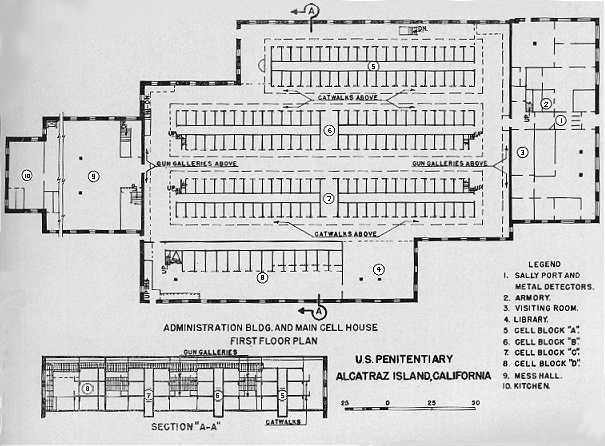
This is one of the many dingy, damp, dirty, dark and oppressive cells that were once the home to a prisoner of the Alcatraz maximum high-security Federal prison on Alcatraz Island. This is a great example i can use the base my prison around.
This is another example of the environment of the Alcatraz prison, this picture shows how damaged this prison is and how cramped and infected this prison became. I will use this as an example when creating my prison environment.
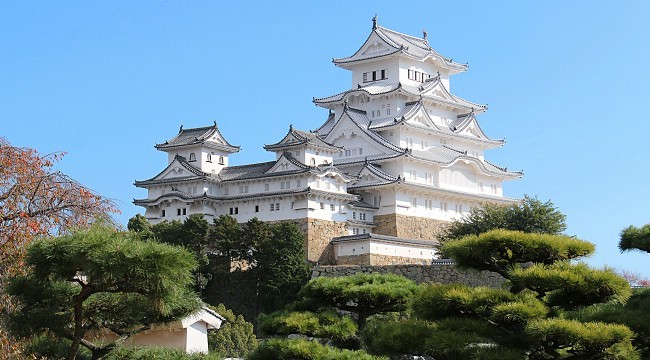
Himeji Castle is a hilltop Japanese castle. The castle is regarded as the finest surviving example of prototypical Japanese castle architecture. i like the old Japanese design used in this castle and i may use the concept as an influence on my environment and structures.
This image shows the joker in prison from the movie the Dark knight. i like this picture because it shows how a simple prison cell can contain such a evil character.
This picture is taken from the Walking Dead TV series. Its a picture of the prison the group of survivors took refuge inside to escape from the undead. I like the way the TV series shows us how cluttered and trashed the prison is looks interesting, i will definitely be taking ideas from this picture to help me create my prison setting.
This is a video clip of the prison escape from the video game Call Of Duty Black Ops. The clip shows of the prison is a unique way from the inside out. I like the way the prison is layed out with the cells being underground, i will use this clip as inspiration for my setting.
This is a screenshot i took from the clip, it shows the environment around the prison nicely.
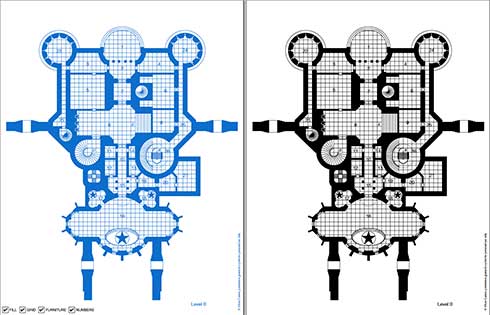
The image above is the Map/Blueprints of my castle section i have created this using inspiration from the image below and the images i have accumulated through task 2.
The map shows the castle in little detail but clearly shows the stairs which lead into the prison below.
The image above is the Map/Blueprints of my castle prison section i have created this using inspiration from the image below and the images i have accumulated through task 2.
The map shows the prison in little detail but clearly shows the cells and interrogation room.
This is my prison gridded and this picture shows how my first design works in a gridded form.
Updated Version:
This is an updated map of my prison dungeon, resembling the castle layout above so my layout looks more realistic. Removed objects which didn't represent the era i'm trying to represent.
This is my updated map gridded so i know where my modular floor tiles will go.
This is the grid without the background.
This is a picture showing the object designs i will be creating and the width and height i will be using. I also included the length of the floor tile which makes the width and height of my other objects easier to understand.
Another picture showing more objects with widths and heights.
Final picture including width and heights.
http://www.stlfinder.com/model/torture-chair
This is the chair i used as an inspiration in my final design.
This was step one, i outlined the prison in illustrator which then allowed me to export the prison in modeler.
This is the prison outline result from being exported into modeler and then extruded to be the height of 3 meters.
I will have to make changes to allow me to texture more than just the one thing.
This is the cell, i created it in modeler using a box and then extruding it up to my specific height and width. I then created a door using a box tool and then removing points but i realized i didn't need this but i helps in the UV mapping of the object.
This picture shows the table and stool. Table created using just the box tool extruding 3 boxes combing them together. Stool was created using the disc tool extruding out and creating 4 discs and extruding out.
This is the torture chair created using the box tool extruding to my specific width and height. then i created the impaling spikes using the cone stool which i then duplicated a few times. Finally i created the restraints using the box tool and the disc tool combines easily created just by removing points.
This is the floor tile which i created in a modular approach 1m by 1m which can be cloned making my environment more efficient.
This is my UV map of my cell.
This is my cell with my UV map wrapped around it textures in layout. I can clone this to created more cells being very efficient.
this is the torture chair textures in layout.
This is the floor tile in layout.
This is the table in layout textured. i can clone this object as many times as i like staying very efficient.
this is the walls of my prison dungeon in layout textured. I made my walls look dingy and damp.
This is my stool texture in layout i can only clone this object as many times as i want.